DOM Based XSS
Definition
DOM Based XSS (or as it is called in some texts, “type-0 XSS”) is an XSS attack wherein the attack payload is executed as a result of modifying the DOM “environment” in the victim’s browser used by the original client side script, so that the client side code runs in an “unexpected” manner. That is, the page itself (the HTTP response that is) does not change, but the client side code contained in the page executes differently due to the malicious modifications that have occurred in the DOM environment.
This is in contrast to other XSS attacks (stored or reflected), wherein the attack payload is placed in the response page (due to a server side flaw).
Please note research from David Wichers seeking to reclassify DOM XSS more strictly as CLIENT SIDE XSS. https://www.owasp.org/index.php/Types_of_Cross-Site_Scripting#DOM_Based_XSS_.28AKA_Type-0.29
Example
Suppose the following code is used to create a form to let the user choose their preferred language. A default language is also provided in the query string, as the parameter “default”.
- …
- Select your language:
- <select><script>
- document.write("<OPTION value=1>"+document.location.href.substring(document.location.href.indexOf("default=")+8)+"</OPTION>");
- document.write("<OPTION value=2>English</OPTION>");
- </script></select>
- …
The page is invoked with a URL such as:
- http://www.some.site/page.html?default=French
A DOM Based XSS attack against this page can be accomplished by sending the following URL to a victim:
- http://www.some.site/page.html?default=<script>alert(document.cookie)</script>
When the victim clicks on this link, the browser sends a request for:
- /page.html?default=<script>alert(document.cookie)</script>
to www.some.site. The server responds with the page containing the above Javascript code. The browser creates a DOM object for the page, in which the document.location object contains the string:
- http://www.some.site/page.html?default=<script>alert(document.cookie)</script>
The original Javascript code in the page does not expect the default parameter to contain HTML markup, and as such it simply echoes it into the page (DOM) at runtime. The browser then renders the resulting page and executes the attacker’s script:
- alert(document.cookie)
Note that the HTTP response sent from the server does not contain the attacker’s payload. This payload manifests itself at the client-side script at runtime, when a flawed script accesses the DOM variable document.location and assumes it is not malicious.
Advanced Techniques and Derivatives
In the example above, while the payload was not embedded by the server in the HTTP response, it still arrived at the server as part of an HTTP request, and thus the attack could be detected at the server side. The “DOM Based XSS” paper ([1]) details a technique to avoid server side detection. It also describes several other possible locations for the payload, besides document.location.
The technique to avoid sending the payload to the server hinges on the fact that URI fragments (the part in the URI after the “#”) is not sent to the server by the browser. Thus, any client side code that references, say, document.location, may be vulnerable to an attack which uses fragments, and in such case the payload is never sent to the server. For example, the above DOM based XSS can be modified into:
- http://www.some.site/page.html#default=<script>alert(document.cookie)</script>
which mounts the same attack without it being seen by the server (which will simply see a request for page.html without any URL parameters).
In December 2006, Stefano Di Paola and Giorgio Fedon described a universal XSS attack against the Acrobat PDF plugin ([4]). This attack applied the fragment variant of DOM based XSS to PDF documents. The researchers discovered that a PDF document served to the browser, when rendered by the Acrobat plugin, may end up executing part of the fragment as Javascript. Since the Javascript is executed in the context (DOM) of the current site, all an attacker needed to exploit this flaw was to simply find a PDF link somewhere on the site for the XSS condition to be met. If the attacker then tricked a user into clicking on (or submitting) a link like:
- http://www.some.site/somefile.pdf#somename=javascript:attackers_script_here
then a victim using an un-patched Acrobat reader would succumb to the attack. Adobe patched their reader after they were made aware of this flaw, but if not all users have downloaded the patch then those users are still vulnerable to this type of attack.
Ivan Ristic did some research and proposed some server side defenses against this type of attack in the presentation “Protecting Web Applications from Universal PDF XSS: A discussion of how weird the web application security world has become” at the 2007 OWASP Europe AppSec Conference in Milan. The presentation ([5]) can be downloaded here.
Extensions
Ory Segal gave an example (section “Javascript flow manipulation” in [2]) of how a target page can be framed and the frame’s parent (in the attacker’s control) can be devised in such manner that it affects the execution of the target page in a way desired by the attacker. The technique shows how DOM manipulation can be useful to modify the execution flow of scripts in the target page.
Kuza55 and Stefano Di Paola discussed more ways in which the concept of DOM manipulation and DOM based XSS can be extended in [3].
Testing Tools and Techniques
Minded Security has been doing some significant research into DOM based XSS. They are working on two projects to help with DOM Based XSS:
1. The DOMinator Tool - A commercial tool based on the Firefox browser with modified Spidermonkey Javascript engine that helps testers identify and verify DOM based XSS flaws
See: https://dominator.mindedsecurity.com/ (https://github.com/wisec/DOMinator for the open source part)
2. The DOM XSS Wiki - The start of a Knowledgebase for defining sources of attacker controlled inputs and sinks which could potentially introduce DOM Based XSS issues. Its very immature as of 11/17/2011. Please contribute to this wiki if you know of more dangerous sinks and/or safe alternatives!!
See: http://code.google.com/p/domxsswiki/
3. DOM Snitch - An experimental Chrome extension that enables developers and testers to identify insecure practices commonly found in client-side code. From Google.
See: http://code.google.com/p/domsnitch/
Defense Techniques
See: https://cheatsheetseries.owasp.org/cheatsheets/DOM_based_XSS_Prevention_Cheat_Sheet.html
References
[1] “DOM Based Cross Site Scripting or XSS of the Third Kind” (WASC writeup), Amit Klein, July 2005
http://www.webappsec.org/projects/articles/071105.shtml
[2] “JavaScript Code Flow Manipulation, and a real world example advisory - Adobe Flex 3 Dom-Based XSS” (Watchfire blog), Ory Segal, June 17th, 2008
http://blog.watchfire.com/wfblog/2008/06/javascript-code.html
[3] “Attacking Rich Internet Applications” (RUXCON 2008 presentation), Kuza55 and Stefano Di Paola, November 2008
http://www.ruxcon.org.au/files/2008/Attacking_Rich_Internet_Applications.pdf
[4] “Subverting Ajax” (23C3 presentation), Stefano Di Paola and Giorgio Fedon, December 2006
http://events.ccc.de/congress/2006/Fahrplan/attachments/1158-Subverting_Ajax.pdf
[5] “Protecting Web Applications from Universal PDF XSS” (2007 OWASP Europe AppSec presentation) Ivan Ristic, May 2007
http://www.owasp.org/images/c/c2/OWASPAppSec2007Milan_ProtectingWebAppsfromUniversalPDFXSS.ppt
[6] OWASP Testing Guide
Testing_for_DOM-based_Cross_site_scripting_(OWASP-DV-003)
XSS stands for Cross-Site Scripting. It’s a type of attack in which scripts are injected into trusted web sites. OWASP has a information about these attacks and its variations.
In this article we’ll see how an attacker can discover a XSS DOM vulnerability and take advantage. Let’s get down to work. Fire up DVWA and Kali, open your browser and point to your DVWA address.
Low Security
Set your security to low and then open the XSS (DOM) page:
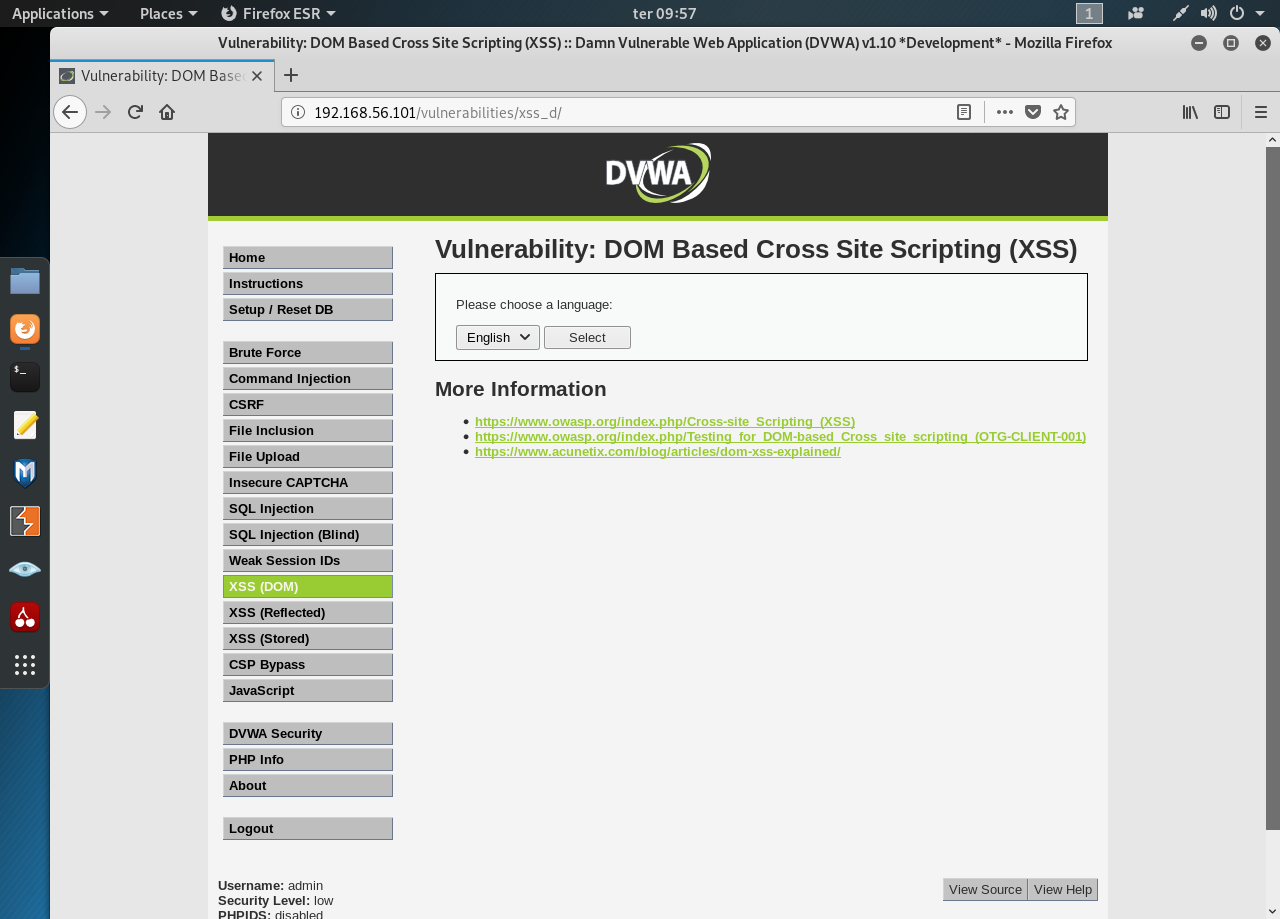
Pressing the “Select” button and watch the URL. It took the param “default=English”. Changing the select box sets the param default. What happens when we set the default param manually to something else like “test”?
Now let’s insert our own Javascript to the param, something simple, like an alert “<script>alert(“Houston, we have a problem!!”)</script>”:
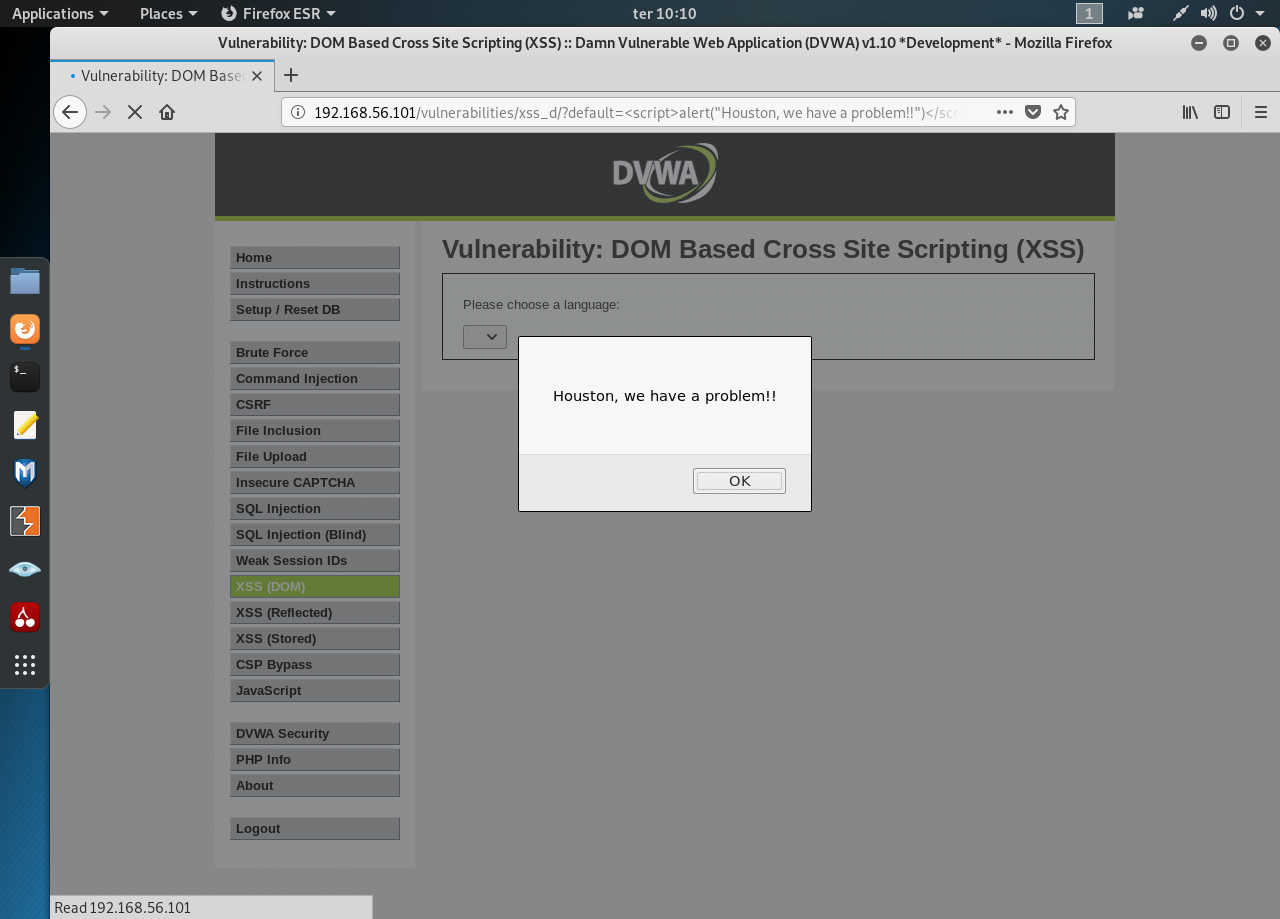
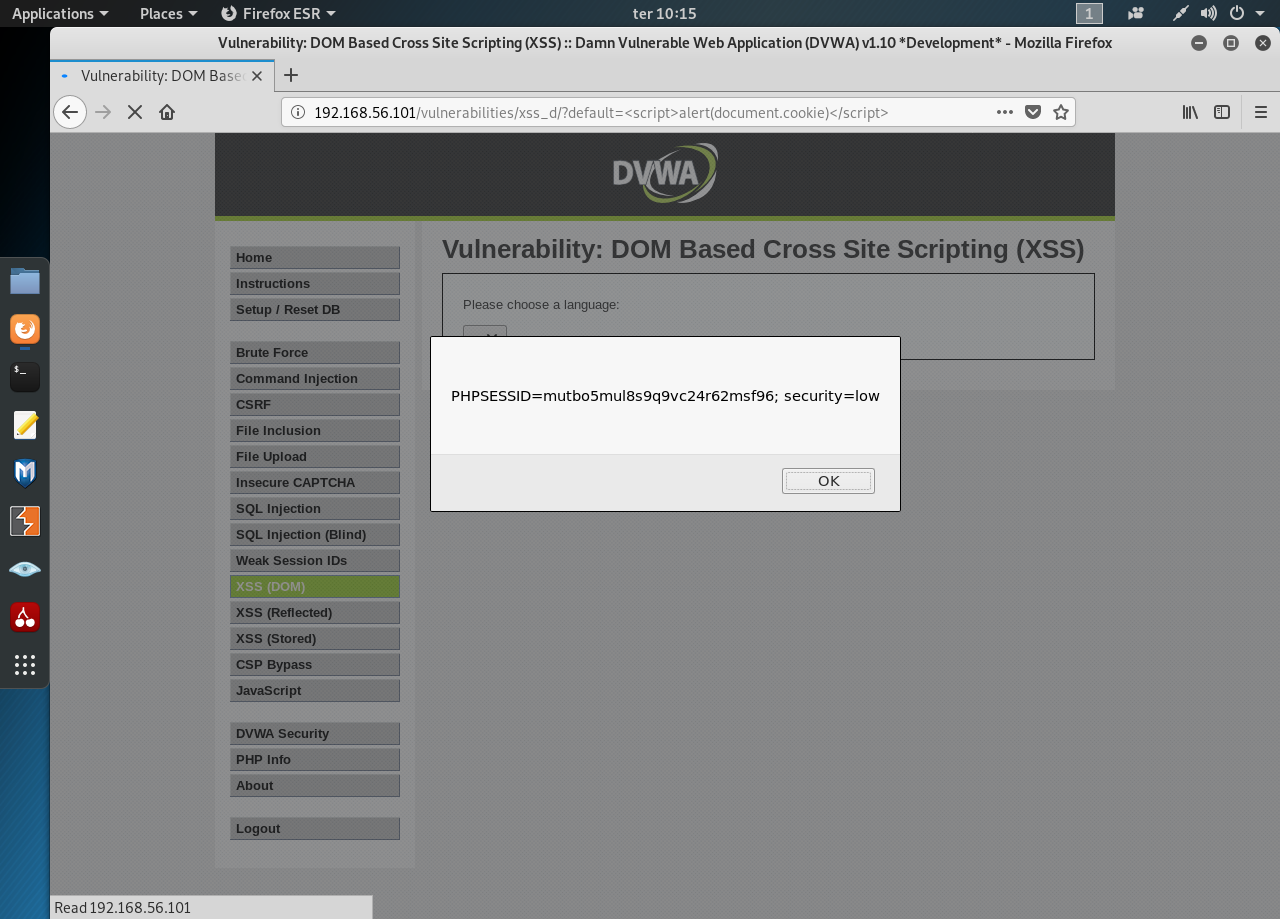
We have determine that the site is vulnerable to XSS. Let’s get the cookie with this script “<script>alert(document.cookie)</script>”:
Medium
Visually there’s no difference between the Low and the Medium security. Changing the param in the URL to test renders text in the select box, like before:
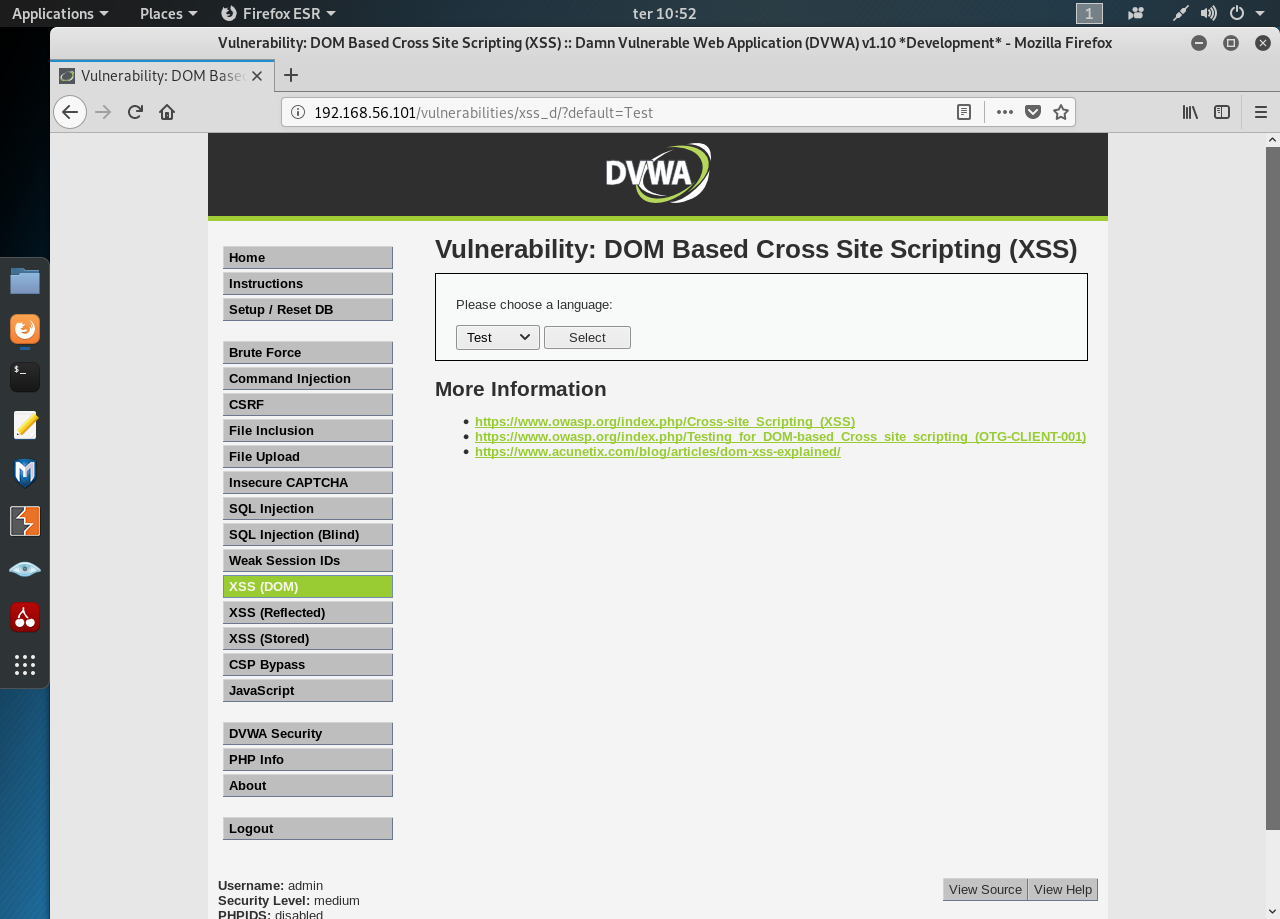
Let’s try an alert script… and nothing happens. Seems there’s some kind of filtering going on. We’re not out of options still. Open the Developer Tools and take a look at the html:
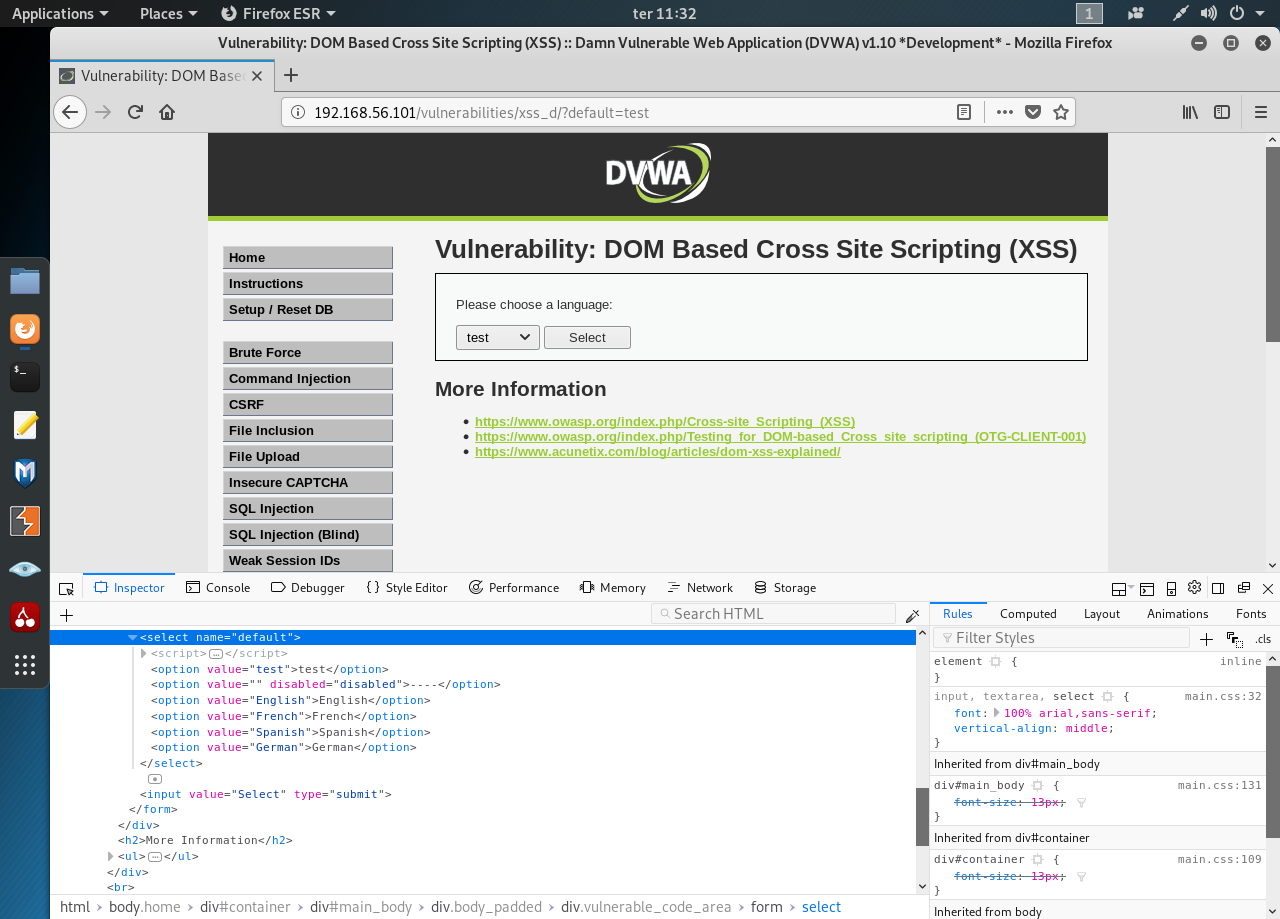
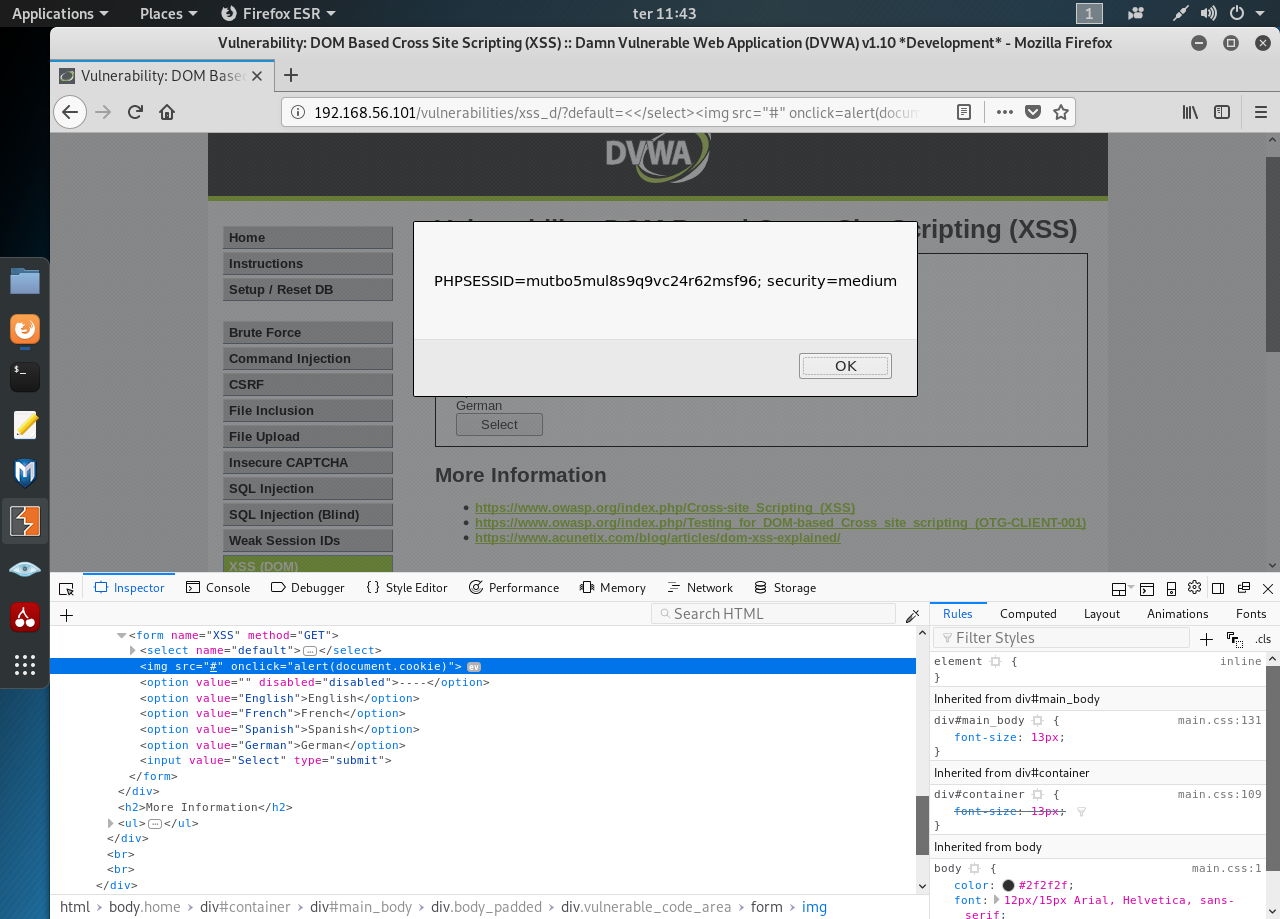
We can try several values for our default param and see how the page reacts. We’re looking to break the page’s logic and insert a crafted tag. After some trial and error I’ve managed to insert the following value “<</select><img src=’#’ onclick=alert’Gotcha!!!’>”:

Now change it to get the cookie:
High
If it’s not for tag at the bottom of the page I’d have no clue as to the security level. Ok, let’s try to hack the high security level. Start by “test”… Nothing. Seems every try gets filtered out by the server.
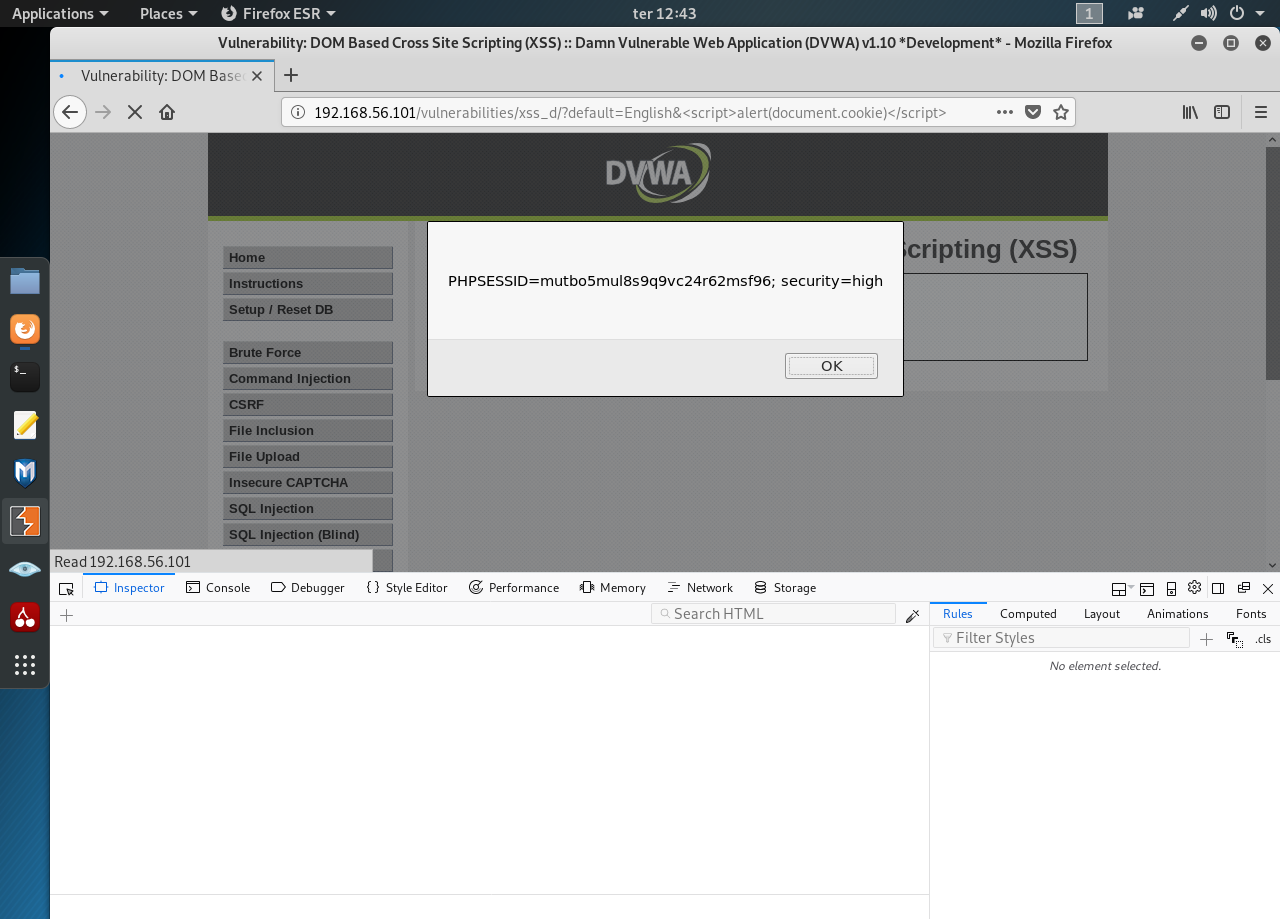
It’s time to try something different using the a new param/value (more about params with GET and POST methods here) “default=English&test”:

The custom URL seems to circumvent the filter. Let’s obtain the cookie with “default=English&<script>alert(document.cookie)</script>”:
0 comments:
Post a Comment